Smart server selection and modern protocols help your Mac stay quick on downloads, calls, and 4K streams—with your privacy front and center.
The Mac app is still in beta and will roll out to users in phases. Stay tuned.
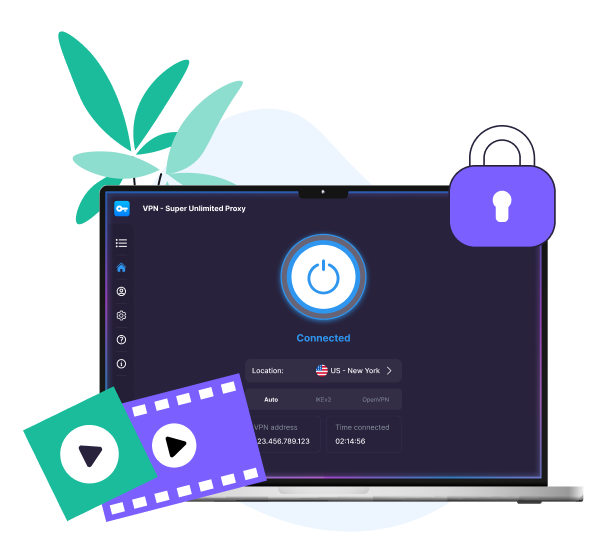

A VPN for Mac encrypts your traffic and hides your IP address, so your browsing stays private, and your connection stays stable wherever you are.
Download VPN Super for Mac for native Apple Silicon support and compatibility with macOS 13–26.

Open VPN Super and sign in with your Premium account to unlock full access.

Choose a server, hit Connect, and browse fast, securely, and privately.

| What you're doing | Recommended VPN server | What you'll enjoy |
|---|---|---|
| Everyday browsing | Closest to your real location | Lowest latency for video calls, downloads, and iCloud sync |
| Streaming US content | United States | Reliable access to major US streaming platforms |
| Streaming UK and EU content | United Kingdom or Germany | Reliable access to major UK and EU streaming platforms |
| Traveling in Asia-Pacific | Singapore or Japan | Stable speeds across major regional hubs |
| Connecting to public Wi-Fi | Any server close to you | Private internet access in cafés, airports, and hotels |

Automatically connects you to the fastest location based on the latency between your device and our servers.

The WireGuard protocol gets you fast speeds and strong encryption, great for streaming and gaming.

See latency per server before you connect, so you can pick the best fit for a Zoom call or 4K stream.
Runs natively on M1, M2, M3, M4, and M5 Macs, so it handles Figma, Zoom, and Final Cut without interruptions.

Connect from the macOS menu bar without leaving the app you're in, whether that's Chrome, Mail, or full-screen video.

Access high-capacity servers from practically anywhere around the world. No slowdowns or buffering.

No data caps and no throttling, so you can stream, download, and back up to iCloud freely.

VPN Super doesn't keep logs of your online activity, so your browsing, streaming, and downloads stay yours.

WireGuard protocol creates a secure tunnel for your traffic, so your browsing stays private from third parties on shared Wi-Fi.

Our free VPN already gets you enterprise-grade encryption and unlimited bandwidth, but if you need faster servers, more global locations, and VPN on your Mac or Windows PC, a Premium subscription is your best bet.
| Feature | Free VPN | Premium subscription |
|---|---|---|
| Apple Silicon-native app | No | Yes |
| Encrypted browsing | Yes | Yes |
| No activity logs | Yes | Yes |
| Unlimited bandwidth | Yes | Yes |
| Worldwide server locations | Limited | Full access |
| Faster priority servers | No | Yes |
| Streaming reliability | Limited | Good |
| Up to 10 devices | No | Yes |
It is a great app especially in my country where I can connect to different server which works properly.
VPN Super delivers exactly what it promises. The connection is stable and the interface is very user-friendly.
Great VPN app! Fast connection, easy to use, and works very well.
A VPN for Mac encrypts your internet traffic and hides your IP, so your browsing stays private on any network—personal Wi-Fi, office networks, or public hotspots in cafés, airport lounges, or hotels. You can also connect to virtual locations all over the world, depending on what servers the VPN service offers. This masks your IP address and assigns you a new IP address in the server location of your choice. VPN Super's Mac app lets you choose servers in 100+ locations. It also runs natively on Apple Silicon and Intel, and connects to VPN in just a few seconds.
VPN Super is a strong choice because it's Apple Silicon-native, quick on modern networks, and supports up to 10 devices under a single Premium subscription. You get encrypted browsing, worldwide servers in 100+ countries, and no activity logs, all from a clean app built for macOS.
A good VPN for Mac is one that's fast, easy to set up, and works reliably across macOS versions. VPN Super covers macOS 13 Ventura to macOS 26 Tahoe, on Intel and Apple Silicon (M1 and newer).
Download the VPN Super client for Mac here. Sign in or create an account, then select Connect, and that's it—your Mac is protected in just a few seconds.
The easiest way is to use the VPN Super app, available with a Premium subscription. Just download, sign in, and connect.
VPN Super runs quietly in the background without getting in the way, just choose a server (or use Fastest Location) and hit Connect. Keep it on while you browse, stream, or work on public Wi-Fi. Disconnect when you're done.
To check if the VPN is working, open System Settings → Network to see active VPN connections, or visit any IP-check website to confirm your public IP and country match your chosen server.
Look for a VPN that's native on Apple Silicon, supports the latest macOS versions, covers multiple devices under one subscription, and keeps no activity logs. VPN Super checks all four so it's a reliable option.
Yes. VPN Super runs natively on Apple Silicon (M1, M2, M3, M4, M5) and covers macOS 13 Ventura to macOS 26 Tahoe.
No VPN is the fastest for every user. Your speeds depend on your location, the server you pick, and your internet connection. VPN Super is engineered for high-performance browsing and streaming, with smart server selection and in-app speed metrics so you can consistently pick a fast server.
Yes. One Premium subscription covers up to 10 devices at once, across Mac, iPhone, iPad, Windows, Android, Apple TV and Android/Google TV. Sign in once and your protection follows on all your devices.
Not completely satisfied? Reach out within 30 days for a full refund. No hassle. No questions asked.


.webp)