Encrypted streaming on public Wi-Fi. Throttle-resistant on slow ISPs. Your home Crunchyroll library, wherever you're connecting from.
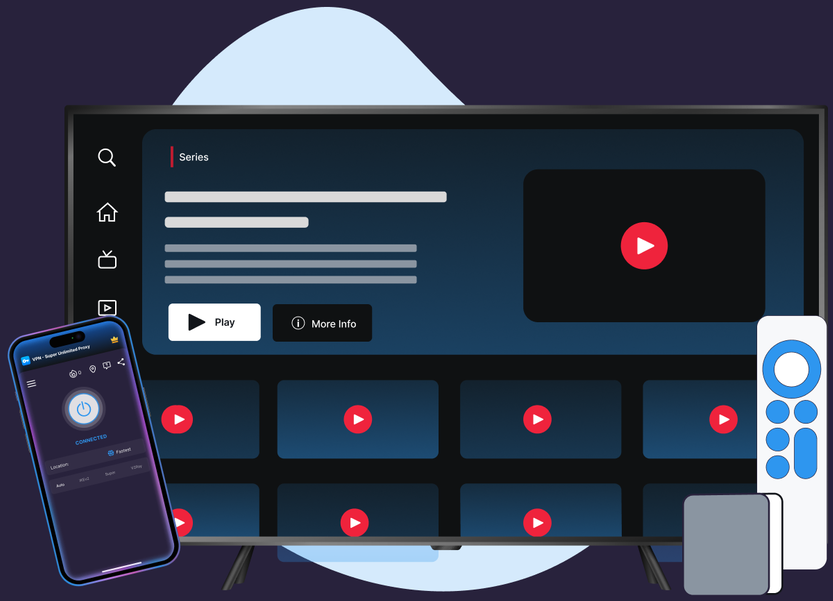
Protocols, leak protection, and platform coverage chosen for streaming reliability and privacy.
VPN Super's Auto picker tests protocols for you and highlights the fastest one—no manual trial-and-error switching mid-episode.
OpenVPN, WireGuard (Windows and Mac, beta), and IKEv2 are all tuned for low-latency streaming, so privacy and speed don't have to be a trade-off.
Kill Switch is live on iOS today, off by default. If your connection drops mid-episode, it pauses your internet access automatically so nothing leaks while you reconnect. It's on the roadmap for Android and Windows.
Live on Windows and in the Mac app, so your lookups and IPv6 traffic stay inside the encrypted tunnel. iOS and Android support is on the roadmap.
iOS Free covers 20 countries and 42 locations; Android Free covers 15 countries and 26 locations—the same encrypted tunnel as Premium, try before you pay.
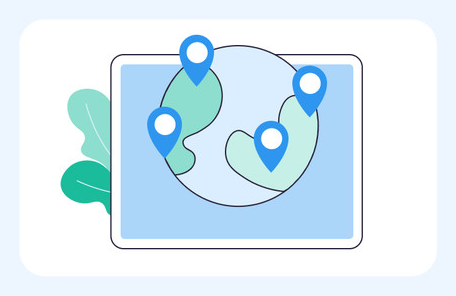
Premium expands to 64 countries and 104 locations on iOS, Windows, and Mac, and 58 countries and 78 locations on Android, plus dedicated coverage on Apple TV and Android TV.
No country-switching, no changing your library. Just connect and watch.
Download VPN Super for iOS, Android, Windows, Mac (beta), Apple TV, or Android TV.
Tap Fastest Location at the top of the server list. VPN Super picks the lowest-latency server automatically.
Open Crunchyroll and start streaming. Your session runs through an encrypted tunnel from there.

If Crunchyroll flags a VPN or proxy connection, switch protocols (Auto → Super → IKEv2 → OpenVPN on mobile; WireGuard or OpenVPN on Windows) and reconnect to a server in your home country.
Honest answer, including what Crunchyroll's own Help Center says about VPN use.
"Common causes [of IP bans] include using a VPN, certain browser extensions, or being on a shared network." — Crunchyroll Help Center

Crunchyroll shows the catalog it has regional licensing rights to—that's true with or without a VPN. A VPN doesn't unlock a different library, and Crunchyroll's own terms are explicit that using one to reach out-of-region content isn't supported.

Crunchyroll is direct about this in its own Help Center.
"Using a VPN to access content that's not licensed in your region isn't supported on Crunchyroll. Turn off any VPN or proxy before streaming." — Crunchyroll Help Center
VPN Super's positioning here is privacy on your own connection, not a way to reach a different region's catalog—that lines up with what Crunchyroll is asking for, not against it.

Crunchyroll's Help Center lists using a VPN, certain browser extensions, and being on a shared network as common causes of IP-recognition issues, not just VPN traffic specifically. Reconnecting to a different server or protocol, or contacting Crunchyroll Support directly, is the fastest way to resolve a flag.
A sample of VPN Super's server locations—chosen for coverage and low latency, not for content access.






What changes when you add VPN Super to your Crunchyroll streaming session.
| Features | Without a VPN | VPN Super |
|---|---|---|
| Public Wi-Fi privacy | Traffic is visible to the network you're on | Encrypted end to end |
| ISP throttling | May slow streaming at peak hours | Traffic shape is hidden—harder to throttle |
| Leak protection (DNS/IPv6) | Not applicable | Available on supported platforms—see device pages for per-platform status |
| Crunchyroll library | Determined by your account's licensed region | Same library—unchanged by VPN Super |
| Devices covered | One connection at a time | Up to 10 devices on one VPN Super subscription |
Download VPN Super on the platforms you actually use to stream Crunchyroll at home and on the go.



"Amazing app! I've been able to access different applications that were once banned in my region"
"Great VPN with fast speeds and instant connection. Has no timeout and has many locations as well."
"This is one of the best apps you can get if you're trying to access content while travelling internationally."
Three reasons that don't depend on changing what's in your Crunchyroll library: privacy on public Wi-Fi, resistance to ISP throttling during peak-hours streaming, and staying connected to your home Crunchyroll subscription while traveling on a different network.
Crunchyroll's own Help Center says using a VPN to access content that's not licensed in your region isn't supported, and asks users to turn off any VPN or proxy before streaming. VPN Super is positioned for privacy while you stream your own subscription, not for reaching a different region's catalog.
Crunchyroll's Help Center lists VPN use, certain browser extensions, and shared networks as common causes of IP-recognition issues. Reconnecting to a different VPN Super server or protocol, or contacting Crunchyroll Support directly, is the fastest way to resolve it.
Using a VPN is legal in the US and most countries (rules vary—check yours). Crunchyroll's own Terms of Service govern how its platform may be accessed, so always follow Crunchyroll's terms alongside your local laws.
VPN Super's Auto protocol picker is built to keep latency low, and the app highlights the server with the lowest current latency, so most people notice little to no difference streaming Crunchyroll.
Kill Switch is live on iOS today, off by default. It's on the roadmap for Android and Windows, with macOS planned after that. If your connection drops, it pauses your internet access automatically so nothing leaks while you reconnect.
iPhone, Android, Windows, Mac (beta), Apple TV, and Android TV, so you can watch Crunchyroll privately on whichever device you use.
Yes—VPN Super's free VPN on iOS gives 20 countries and 42 locations; Android Free gives 15 countries and 26 locations. Windows, Mac, and both TV apps are Premium only.
Detection systems occasionally flag shared networks, certain browser extensions, or legitimate connections as VPN or proxy traffic. Crunchyroll's Help Center recommends checking for and disabling any active VPN or proxy tool, including ones you may not realize are running, then reconnecting.
Yes—VPN Super encrypts your connection so your account activity and credentials aren't exposed to others on the same Wi-Fi network, whether you're streaming at a café, airport, or hotel.
VPN Super holds 250K+ ratings on the iOS App Store and 500K+ ratings on Google Play, backed by a no-activity-logs policy—what you stream stays your business.
Free on mobile, Premium for desktop and TV. One VPN Super subscription protects up to 10 devices.