Encrypted streaming on public Wi-Fi. Throttle-resistant on slow ISPs. A stable, low-latency connection so live matches don't stutter when it counts.
Protocols, leak protection, and low-latency server picking chosen for live-sports reliability and privacy.
Tap Fastest Location and VPN Super auto-picks the server with the lowest current latency—useful when a dropped connection means a missed goal, not just a paused show.
If the VPN connection drops mid-match, Kill Switch stops your traffic instead of falling back to your regular connection unprotected. Available on Android and Windows, with a basic on-demand version on iOS; planned for Mac.
Built-in DNS and IPv6 leak protection on Windows and Mac keeps your real IP from slipping through during a live stream.
A broad global network means there's almost always a fast, uncongested server nearby—helpful when everyone's streaming the same live event at once.
IKEv2 and OpenVPN on the platforms that support them, WireGuard on Windows and Mac (Beta), plus VPN Super's own protocol and V2Ray on iOS and Android in regions where standard tunnels get blocked.
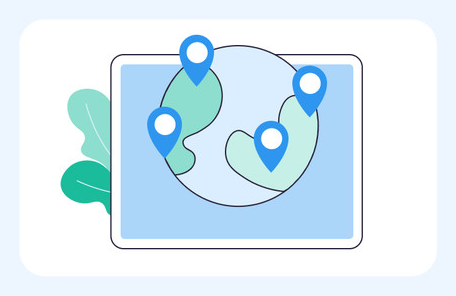
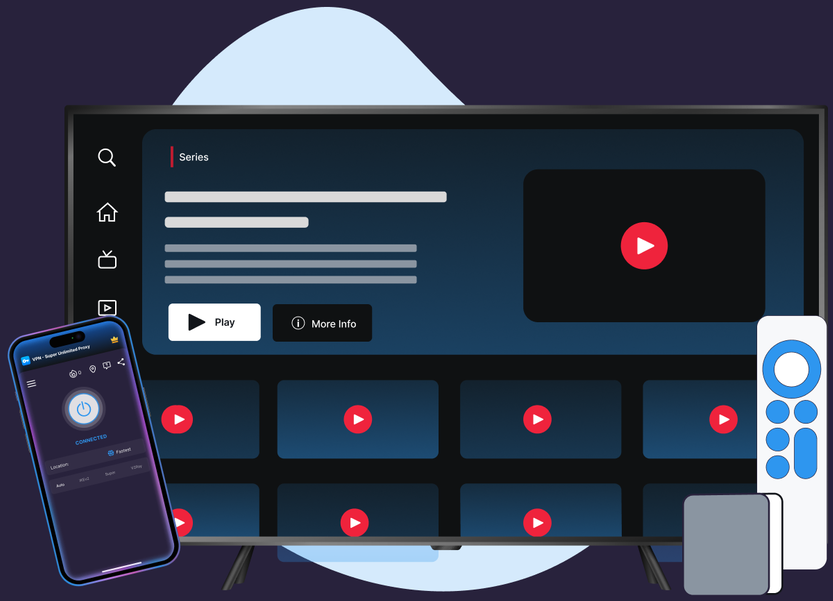
iOS, Android, Windows, Mac (Beta), Apple TV, and Android TV. Built for watching live sports on the device you already have open.
No location-spoofing, no editing your account details. Just connect and watch the match.
Download VPN Super for iOS, Android, Windows, Mac (Beta), Apple TV, and Android TV.
Tap Fastest Location at the top of the server list. VPN Super picks the lowest-latency server automatically.
Your session is encrypted end to end—privacy and throttle-resistance on every platform VPN Super ships.

If DAZN flags a VPN or proxy connection, switch protocols (Auto → Super → IKEv2 → OpenVPN on mobile; WireGuard or OpenVPN on Windows) and reconnect to a server in your home country. If that doesn't resolve it, disconnect VPN Super to confirm your account status directly with DAZN.
Honest answer, including what DAZN's own policy says about VPN use—paraphrased below since we haven't been able to confirm the exact wording.

DAZN's live sports coverage is tied to regional broadcasting agreements—which leagues, matches, and events you can watch depends on your subscription region. That's true with or without a VPN; a VPN doesn't change what your account is licensed to show.

DAZN's own Help Center describes restricting the use of VPNs and proxies to enforce its regional broadcasting agreements. We haven't been able to confirm the exact wording, so treat this as a paraphrase of DAZN's stated position, not a direct quote. VPN Super doesn't promise to get around that policy.

Privacy on public Wi-Fi, throttle-resistance on slow ISPs, and a stable, low-latency connection so you're less likely to drop out mid-match—the parts of streaming a VPN can actually improve.
A sample of VPN Super's server locations—chosen for coverage and low latency, not for content access.








What changes when you add VPN Super to your DAZN streaming session.
| Features | Without a VPN | VPN Super |
|---|---|---|
| Public Wi-Fi privacy | Traffic is visible to the network you're on | Encrypted end-to-end |
| ISP throttling | May slow streaming at peak hours | Traffic shape is hidden—harder to throttle |
| Leak protection (DNS/IPv6) | Not applicable | Available on supported platforms—see device pages for per-platform status |
| DAZN coverage | Determined by your account's billing address | Same coverage—unchanged by VPN Super. |
| Devices covered | One connection at a time | Up to 10 devices on one VPN Super subscription |
Download VPN Super on the platforms you actually use to watch DAZN at home and on the go.




"Amazing app! I've been able to access different applications that were once banned in my region"
"Great VPN with fast speeds and instant connection. Has no timeout and has many locations as well."
"This is one of the best apps you can get if you're trying to access content while travelling internationally."
Three reasons that don't depend on changing what's in your DAZN coverage. Privacy on public Wi-Fi—café, stadium, and hotel networks leak traffic by default. Throttle-resistance—some ISPs slow streaming at peak hours, and an encrypted tunnel hides the traffic shape. Travel—keep your home DAZN subscription reachable when you're on a different ISP abroad, so a live match doesn't stutter when it counts.
DAZN's own Help Center describes restricting VPN and proxy use as part of enforcing its regional broadcasting agreements. We haven't been able to confirm the exact wording of that policy, so treat this as a paraphrase, not a direct quote. VPN Super uses protocols designed for streaming reliability, but doesn't promise to change what DAZN shows you.
Using a VPN is legal in most countries (rules vary—check yours). DAZN's own Terms of Service govern what you can do with their service. Check both your local laws and DAZN's terms.
DAZN's policy describes restricting VPN and proxy use, but VPN Super doesn't have confirmed details on how that's enforced at the account level. If you're concerned, review DAZN's own Terms of Service or contact DAZN directly.
Common causes—your ISP routes traffic through a regional gateway DAZN has flagged; you're on a corporate or campus network; you have a system-level VPN or proxy running you forgot about. Open the app menu (☰) and contact Support if it persists.
A well-built one won't noticeably. VPN Super's app picks the server with the lowest current latency for you. A weak underlying Wi-Fi or mobile signal can still cause buffering—live streams are less forgiving of this than on-demand video, since there's no buffer to fall back on once you fall behind.
Yes. VPN Super's free VPN on iOS gives 20 countries and 42 locations; Android gives 15 countries and 26 locations. The encrypted tunnel is the same as Premium—useful for public Wi-Fi privacy and throttle-resistance without paying.
Yes. Native VPN Super apps for tvOS and Android TV launched in June 2026. They route DAZN traffic through your chosen VPN server like any other app on the device.
Install VPN Super on iPhone, Android, Windows, Mac (Beta), Apple TV, or Android TV. Sign in, tap Fastest Location, and connect. Open DAZN as usual—your session runs through an encrypted tunnel from there.
Up to 10 devices at the same time—enough for a phone, a laptop, a tablet, an Apple TV or Android TV, and a few more besides.
Free on mobile, Premium for desktop and TV. One VPN Super subscription protects up to 10 devices.