Roku doesn't support VPN apps. Connect VPN Super on Windows or Mac, and share a private connection with your Roku in three steps.
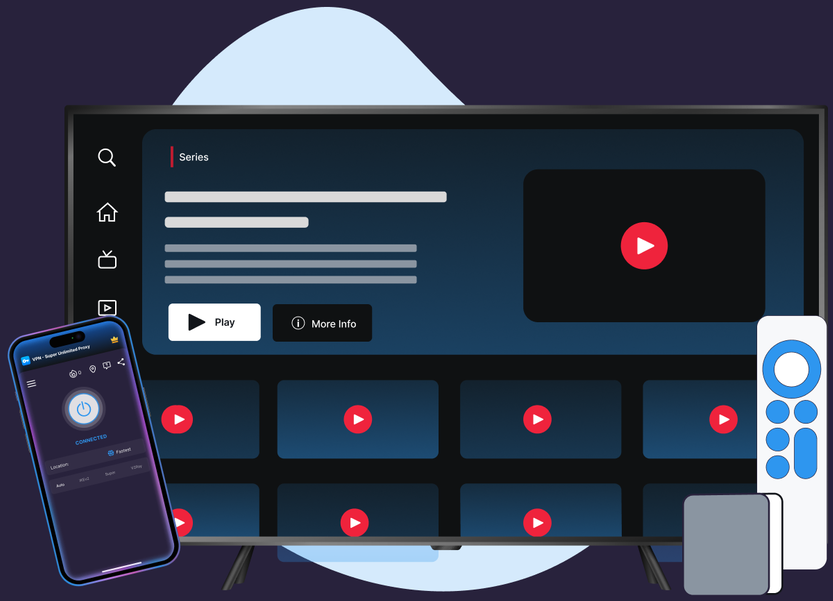
VPN Super for Windows automatically picks between WireGuard and OpenVPN. The Mac app runs on WireGuard.
Both apps keep DNS lookups and IPv6 traffic inside the tunnel, so nothing about your Roku session leaks.

The same server network your phone uses is available on the Windows and Mac apps behind your Roku setup.
Not sure where to connect? Fastest Location picks a responsive server for you, right from the home screen.
If your PC restarts, Auto-Connect brings VPN Super back automatically, so your Roku doesn't drop offline too.
Your subscription covers up to 10 devices, and the computer sharing your Roku's connection counts as just one.
Roku can't run a VPN app directly, so VPN Super runs on your Windows or Mac computer, and your Roku joins through that connection.
Download VPN Super for Windows, or Mac (Beta), and sign in. Both work the same way for this setup.
Open VPN Super, pick a location, and connect. Then turn on Mobile Hotspot on Windows or Internet Sharing on Mac.
On your Roku, go to Settings, then Network, and join the shared Wi-Fi. No app needed on Roku itself.

Your Roku depends on the shared Wi-Fi network, so a dropped VPN Super tunnel can interrupt that network too. On Windows, Auto-Connect brings VPN Super back after a restart; either way, reconnecting VPN Super and checking that your hotspot is still on will get your Roku back online.
Roku runs a closed system built around its own store, with no way to install a VPN client. That's true for every provider.

Roku itself has no VPN policy. A "VPN or proxy" message comes from the channel app, not Roku, and it's normal on any device.
A sample of VPN Super's server locations—chosen for coverage and low latency, not for content access.








What changes when you add VPN Super to your Roku setup.
| Features | Without a VPN | VPN Super |
|---|---|---|
| Public Wi-Fi privacy | Traffic is visible to the network you're on | Encrypted end-to-end |
| ISP throttling | May slow streaming at peak hours | Traffic shape is hidden — harder to throttle |
| Leak protection (DNS/IPv6) | Not applicable | Available on supported platforms—see device pages for per-platform status |
| Devices covered | One connection at a time | Up to 10 devices on one VPN Super subscription |
VPN Super runs on Windows, Mac (Beta), iOS, Android, Apple TV, and Android TV. For Roku, the Windows or Mac app does the sharing.


"Amazing app! I've been able to access different applications that were once banned in my region"
"Great VPN with fast speeds and instant connection. Has no timeout and has many locations as well."
"This is one of the best apps you can get if you're trying to access content while travelling internationally."
No. Roku's operating system doesn't support installing a VPN app directly, and that's true for every VPN provider, not just VPN Super. You can still protect a Roku's connection by running VPN Super on the Windows or Mac computer sharing your Wi-Fi.
Yes, through a shared connection. Connect VPN Super on a Windows PC or Mac, turn on that device's hotspot, and join your Roku to the shared network. See the three-step setup above.
Install VPN Super on the Windows or Mac computer you'll use to share Wi-Fi, connect it, then turn on the hotspot and join your Roku to that network. Full steps are above.
Connect VPN Super on a nearby Windows or Mac computer, share its connection over Wi-Fi, and join your Roku to that shared network. That's the same approach for any Roku VPN setup.
VPN Super's Windows and Mac apps, the ones a Roku setup relies on, are Premium only. Free VPNs often carry real privacy and speed tradeoffs, so a paid app is usually the safer choice for something you're streaming through daily.
VPN Super changes your network-level location for privacy and security, not to switch which country's content library you see. While traveling, it keeps your connection private and consistent with what you use at home.
Since Roku doesn't run any VPN app natively, what matters is the app on the computer sharing your connection. VPN Super for Windows automatically picks between WireGuard and OpenVPN, and the Mac app runs on WireGuard. Both keep DNS and IPv6 traffic inside the tunnel so nothing about your Roku session leaks, and Fastest Location picks a responsive server for you across VPN Super's 64-country, 104-location network.
Connecting through a VPN adds a small amount of overhead. VPN Super's Fastest Location feature picks a responsive nearby server automatically, and you can check current latency yourself in the server list before you start streaming.
Your VPN Super subscription covers up to 10 devices, and the Windows or Mac computer sharing the connection counts as one of them, not each device that joins its hotspot. A household with more than one Roku needs its own connected computer per Roku, since each shared connection only covers the devices on that network.
Your Roku depends on the shared Wi-Fi network, so a dropped VPN Super tunnel can interrupt that network too. On Windows, Auto-Connect brings VPN Super back after a restart; either way, reconnecting VPN Super and checking that your hotspot is still on will get your Roku back online.
VPN Super has a no-activity-logs policy, so it doesn't track or store the sites and streams you connect to. Your Roku session runs through that same protected connection.
Get VPN Super, connect on Windows or Mac, and share it with your Roku in minutes. No extra hardware needed.