Three steps, no manual protocol switching. VPN Super handles the network check in the background.
Install VPN Super on your phone or computer, then sign in. No separate setup for Discord is needed.
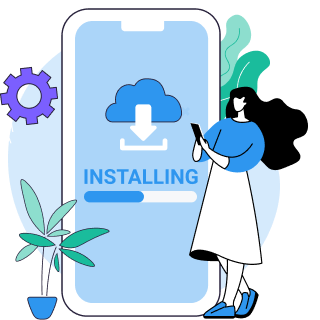
Tap Connect. VPN Super checks your network and picks a protocol that gets through automatically.
Launch Discord on the same device. Voice channels and DMs connect the way they would on an open network.

Discord's block isn't tied to a country, so there's no single required location the way there is for a geo-restricted streaming service. The closest server to where you actually are usually gives the lowest latency for voice calls, which matters more for Discord than which country you pick.
Discord's own support team names two of the most common causes behind a stuck "ICE Checking" or "No Route" error: a VPN that doesn't support UDP, and a school or work network that blocks Discord outright. Their troubleshooting guide puts it directly: "Discord only works on VPNs that have UDP," and "If you're on a work/school network, Discord could be blocked."
VPN Super is built around UDP-capable protocols, so a network-level block on Discord's ports is the case its automatic protocol selection is designed to solve.
To be clear: VPN Super does not help anyone evade a Discord account ban or get around Discord's Terms of Service. It's built for networks that block the app outright, not for accounts that have been suspended.

Discord's own troubleshooting guide states it directly: "Discord only works on VPNs that have UDP." A VPN that defaults to TCP-only protocols can break voice and video, even though text chat still loads.
Discord's support team notes: "If you're on a work/school network, Discord could be blocked." IT admins often filter gaming and chat apps by port or domain.
Sometimes a VPN connection alone isn't enough. Here are the most common issues Discord users run into on blocked networks, along with fixes that work.
| Issue | Solution guidance |
|---|---|
| "No Route" or "ICE Checking" error | Discord's own troubleshooting guide points to two causes: a VPN without UDP support, or a network that blocks Discord outright. VPN Super's automatic protocol selection is built around UDP-capable protocols, which addresses the first cause directly. |
| Voice calls feel slower than usual | Some added latency is possible on any VPN, since traffic routes through an extra server. Connecting to a nearby server keeps that difference small for most calls. |
| Discord blocked on a school Chromebook or work laptop | VPN Super has apps for Windows and Mac. On a Chromebook or a managed work device, whether you can install anything at all usually comes down to the device's admin restrictions, not VPN Super itself. |
VPN Super checks your network and switches to a protocol it allows, instead of one fixed method.
V2Ray protocol is designed to bypass deep packet inspection in heavily restricted countries. Available on iOS and Android.
Premium servers run at up to 10Gbps — fast enough for HD video calls without buffering.
WireGuard adds minimal delay to your connection — essential for voice and video calls.
Choose a server where Discord isn't blocked, or pick one near your contact for better call quality.
No technical setup. Download, tap Connect, and start using Discord immediately.
Keep other apps on your regular connection while Discord uses the VPN. Reduces CAPTCHAs and detection. Available on Android.
Message, call, and video chat without hitting bandwidth limits.

One Premium subscription covers your phone, tablet, laptop, and PC.
VPN Super doesn't track or store what you do online.
VPN Super's free tier still encrypts your connection and switches protocols, with a smaller server list. Premium unlocks split tunneling, leak protection, and the full 105-country server network.
| Feature | Free VPN | Premium subscription |
|---|---|---|
| Server locations | Limited selection | 105 countries |
| Choose your own server | No—server picked for you | Yes—any country |
| Split tunneling | Available on iOS and Android | |
| Leak protection (DNS/IPv6) | Included on Windows and Mac | |
| Devices on one account | 1 device | Up to 10 devices |
| Available on | iPhone, Android | iPhone, Android, Windows, Mac |
| 30-day money-back guarantee | Yes |
"Amazing app! I've been able to access different applications that were once banned in my region"
"Great VPN with fast speeds and instant connection. Has no timeout and has many locations as well."
"This is one of the best apps you can get if you're trying to access content while travelling internationally."
Frequently asked questions about VPN Super for Discord
No. VPN Super doesn't support evading an account ban or a Discord Terms of Service violation. It's built for network-level blocks, not account-level restrictions.
Discord's own troubleshooting guide points to two causes: a VPN without UDP support, or a network that blocks Discord outright. VPN Super's automatic protocol selection is built around UDP-capable protocols, which addresses the first cause directly.
Some added latency is possible on any VPN, since traffic routes through an extra server. Connecting to a nearby server keeps that difference small for most calls.
VPN Super has apps for Windows and Mac. On a Chromebook or a managed work device, whether you can install anything at all usually comes down to the device's admin restrictions, not VPN Super itself.
Yes. Split tunneling lets you route Discord and your browser through VPN Super while everything else on your device uses your regular connection.
There's no single required server, since the block is about network filtering rather than regional licensing. Pick whichever server gives the lowest latency, usually the one closest to your actual location.
No. VPN Super works the same way with a free Discord account as it does with Nitro. Nitro is a separate Discord subscription, unrelated to your VPN.
This page doesn't cover Kill Switch behavior. Check the VPN Super app settings on your platform for current Kill Switch availability.
Download VPN Super and connect before you open Discord.




.webp)